
Practical Tips: To Post An Ad On Milay Pk Step By Step
Posting an ad on Milay Pk can be a game-changer for selling products, services, or even renting properties. Many beginners struggle with the platform’s process, but with a clear guide, anyone can create effective ads that attract the right audience. In this article, we will explore Practical Tips: To Post An Ad On Milay Pk Step By Step, ensuring your listings stand out and reach potential buyers fast.
Why Posting an Ad on Milay Pk Matters
Posting your ad on Milay Pk increases visibility and connects you with thousands of potential buyers daily. Unlike social media platforms, Milay Pk is designed specifically for classifieds, ensuring targeted reach. Additionally, well-crafted ads can build credibility and trust among buyers.
Step 1: Register or Log In
Create an Account
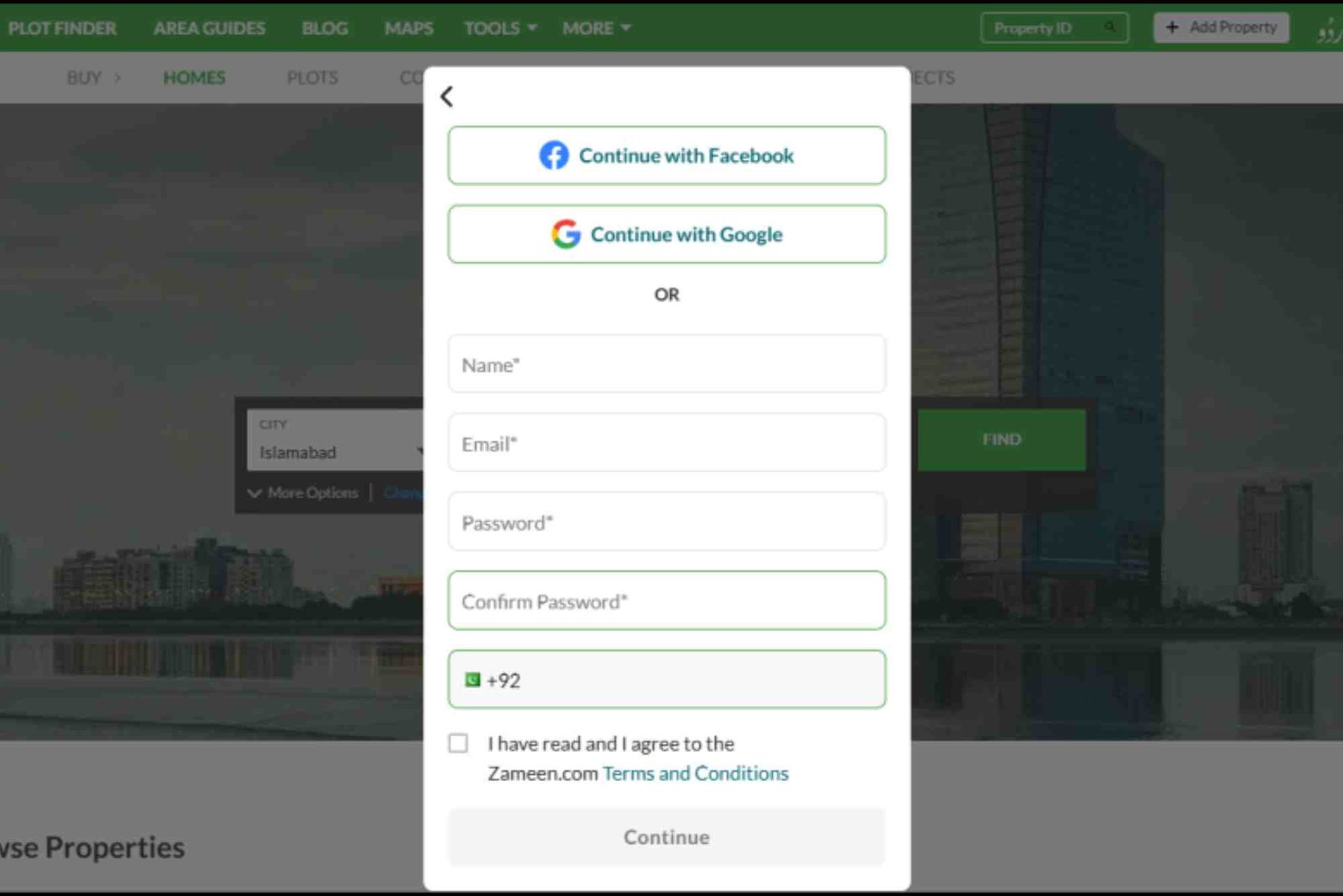
To post an ad, you first need an account. Go to the Milay Pk homepage and click on Sign Up. Provide your email, phone number, and a secure password. Verify your email or phone number to complete registration.
Log In
If you already have an account, simply log in using your credentials. Staying logged in saves time when posting multiple ads.
Step 2: Prepare Your Ad Content
Identify Your Product or Service
Before posting, clearly define what you are offering. Whether it’s a smartphone, car, or tutoring service, specificity matters.
Take High-Quality Photos
Ads with clear, high-resolution images perform better. Capture your product from multiple angles, highlighting features or flaws.
Write a Compelling Description
Focus on clarity and relevance. Include the product’s key features, condition, and any special offers. Keep sentences concise and readable.
Set a Competitive Price
Research similar ads on Milay Pk to set a realistic price. Competitive pricing attracts more buyers and increases chances of a quick sale.
Step 3: Choose the Right Category
Select the Appropriate Category
Milay Pk offers categories like Electronics, Vehicles, Real Estate, and Services. Choosing the correct category ensures your ad reaches the right audience.
Subcategories Matter
Within each category, select a subcategory that matches your product. For example, a used laptop fits under Electronics → Computers → Laptops.
Step 4: Create Your Ad
Click “Post an Ad”
After logging in, click the Post an Ad button. This will open the ad creation form.
Add Title and Description
Your title should be descriptive yet concise. Include key details like brand, model, or service type. The description should expand on the title, highlighting benefits and unique features.
Upload Photos
Add multiple images to your ad. The first image will serve as the thumbnail, so make it visually appealing.
Set Location and Contact Info
Specify your location to attract local buyers. How To Post An Ad On Milay Pk Step By Step Provide accurate contact information so interested buyers can reach you easily.
Choose Listing Type
Milay Pk offers free and premium listings. Free listings reach local buyers, while premium listings boost visibility across the platform.
Step 5: Review and Publish
Check for Errors
Proofread your ad for spelling and grammatical errors. Ensure all details, including price and contact info, are accurate.
Preview Your Ad
Use the preview function to see how your ad appears to buyers. Adjust formatting or images if needed.
Publish
Once satisfied, click Publish. Your ad will go live immediately, ready to attract potential buyers.
Step 6: Promote Your Ad
Share on Social Media
Boost visibility by sharing your ad link on Facebook, WhatsApp, or other social media platforms.
Respond Quickly
Prompt replies to inquiries increase the likelihood of a sale. Related Blog article Timely communication also builds trust.
Update Regularly
If your product hasn’t sold after some time, consider updating the ad with new photos or revised pricing.
Tips for Creating Effective Ads
Use Keywords Wisely
Include relevant keywords in your title and description to improve search visibility. For instance, instead of “Laptop for Sale,” use “Used Dell Inspiron Laptop for Sale in Karachi.”
Highlight Benefits
Explain how your product solves a problem or enhances the buyer’s life. Benefits attract more attention than just features.
Include a Call to Action
Encourage potential buyers to contact you. Phrases like “Call now for details” or “Message for a quick response” improve engagement.
Keep It Honest
Transparent ads build trust and reduce disputes. Clearly mention any defects or missing accessories.
Common Mistakes to Avoid
Using Blurry Photos
Poor-quality images discourage buyers and reduce credibility. Always use clear, well-lit photos.
Overpricing
Setting prices too high can result in your ad being ignored. Compare similar listings before deciding your price.
Ignoring Responses
Not replying to inquiries quickly can lead to missed opportunities. Stay responsive to potential buyers.
Choosing Wrong Categories
Ads in incorrect categories may not reach the target audience. Always select the most relevant category and subcategory.
FAQ Section
How long does it take for my ad to appear on Milay Pk?
Ads usually appear instantly after publishing. Some categories may require admin approval, which takes a few hours.
Can I edit my ad after posting?
Yes, Milay Pk allows you to edit your ad anytime. You can update the description, price, photos, or contact information.
Is posting an ad on Milay Pk free?
Yes, you can post free ads. Paid or premium listings offer more visibility and priority placement.
How can I increase responses to my ad?
Use clear images, a descriptive title, a competitive price, and respond quickly to inquiries. Sharing on social media also helps.
Can I post multiple ads at once?
Yes, Milay Pk allows multiple ads. Each ad should be unique, with proper categories and accurate information.
Posting an ad on Milay Pk is simple once you know the process. By following these Practical Tips: To Post An Ad On Milay Pk Step By Step, you can create compelling listings that attract buyers quickly. Remember to use high-quality images, write clear descriptions, choose the correct category, and respond promptly to inquiries.
Take action today and start reaching thousands of potential buyers. For a detailed guide on How To Post An Ad On Milay Pk Step By Step, check out our Related Blog article andLearn more about maximizing your ad’s performance.